Google Business: how to appear on the map when people search nearby
Your competitors show up on Google's map and you don't. Here is what Google looks at to pick those three businesses, and what you can fix this week.
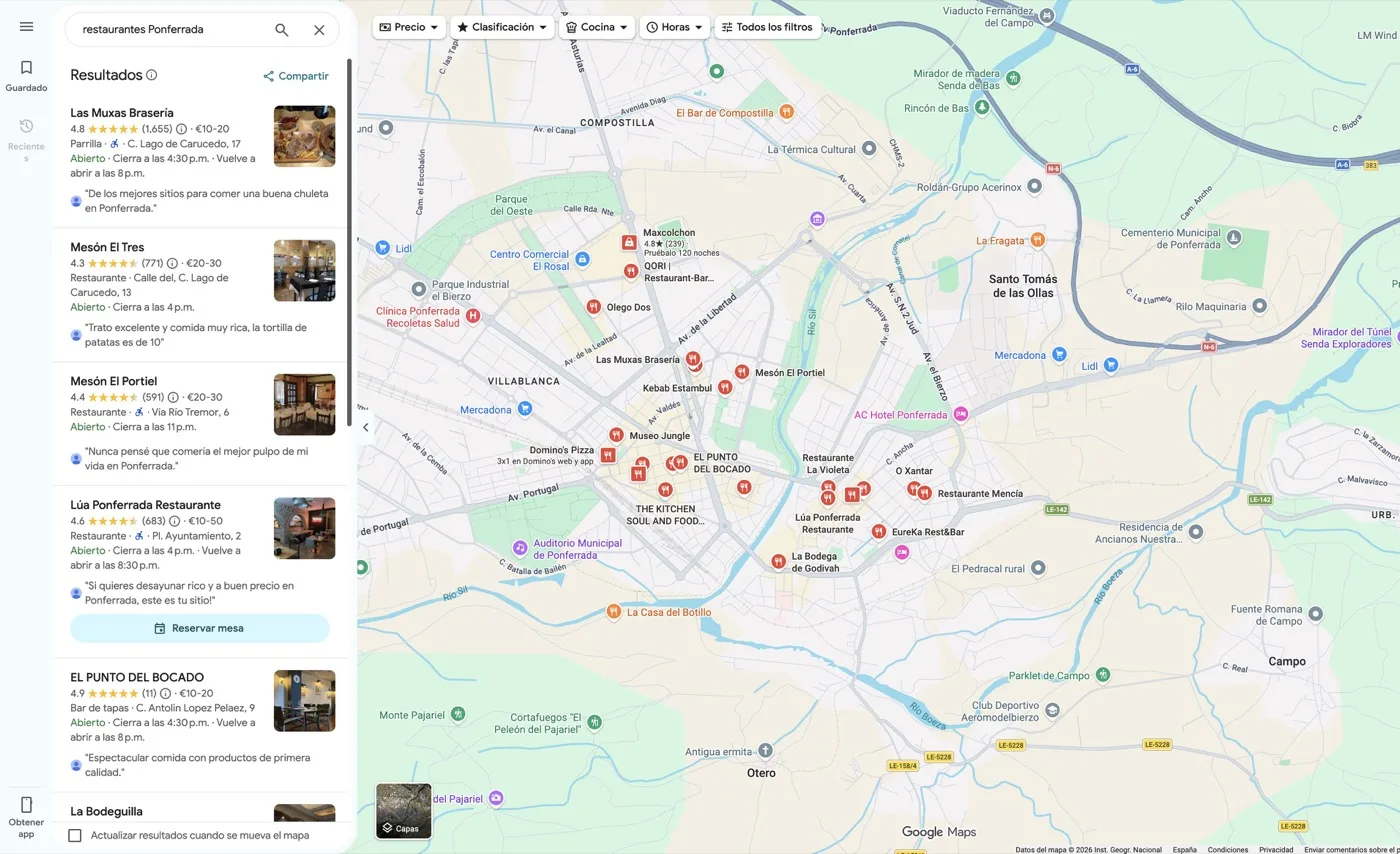
You type “hairdresser near me” on your phone and, before anything else, a map appears with three businesses: name, stars, opening hours and a button to call or get directions. That block has a name: the local pack. And the question that brings most people here is a simple one: why them and not me?
The short answer: because Google picks those three from a handful of signals that are in fact well known, and there are almost always two or three of them that the business missing from the map has not touched in years. Let us go through it.
What the local pack is, and why it is the most valuable spot on the page
The local pack is the block of three businesses with a map that Google shows at the top of the results when it detects that a search has local intent. The usual links continue below, but above them sits that map.
It is the most valuable spot on the whole page for three reasons:
- It is right at the top. On a phone, where most of these searches happen, it takes up almost the entire screen. To see the first traditional result you have to scroll.
- It does not require visiting any website. The phone number, address, opening hours, photos and reviews are right there: the person can call you without ever opening your page.
- It arrives with the decision half made. Someone searching “emergency dentist” at nine at night is not researching: they are choosing. Appearing there is not visibility, it is the phone call.
What feeds that block is not your website: it is your Google Business profile (formerly Google My Business), the free profile Google keeps of your business, which you can claim and manage. If you have never touched it, it very likely exists anyway, created automatically or by a customer.
Which signals influence whether you show up on the map
Here it pays to be honest, because this is where most smoke gets sold. Google does not publish the exact weight of each factor nor the order in which it applies them, and that weight changes with the search, the city and the sector. Anyone showing you a formula with percentages made it up.
What is documented, and clearly observable, is what kind of signals come into play. Here are the main ones, in plain language.
Proximity
Where your business physically sits relative to the person searching. It is the hardest signal to move, because you are not going to relocate the premises, and it has a practical consequence: there is no such thing as “ranking first on the map” full stop. You rank first for someone searching three streets away and may not appear at all for someone searching from the other side of the city. If anyone promises you first place in the local pack without asking which area, be suspicious.
Category relevance
How closely what your profile says matches what the person searched for. The central piece is the primary category: the label Google uses to classify your business. It is not a decorative field. A dental clinic that set itself as plain “clinic” competes in a different, worse league than one that set itself as “dentist”. The primary category should describe what you do most of the time; secondary ones cover the rest.
What is written on the profile counts too: services, description, products. What is not written does not exist as far as Google is concerned.
Reviews
Your customers’ opinions are one of the few signals that speak about you without your controlling them, and that is why they carry weight. The whole picture matters: how many there are, what they say, whether they keep arriving or stopped three years ago, and whether you reply. We cover it in full in how to get Google reviews without being a nuisance, because there is one correct way and several that can cost you the profile.
Profile activity
A profile is not a form you fill in once. Google watches whether it is being looked after: new photos, posts, holiday hours, questions answered, details corrected when they change. An abandoned profile looks the same to a machine as it does to a customer: like a business nobody can tell is still open.
Consistency of name, address and phone
In the industry this is called NAP, for name, address, phone. The idea is simple: those three details should be written exactly the same on your Google profile, on your website, on your social media and in the directories you appear in.
When a business shows up with two different phone numbers, or one name on the site and another on the profile, Google cannot tell whether it is one business or two, and the doubt costs you. It is tedious to fix and, by some distance, the one most businesses have broken without knowing.
What sits behind the profile
The profile does not live in isolation: your site loading well, working on mobile and having a contact page with your address is part of the same picture. And that same consistency work is what allows an AI engine to recommend you, as we explain in what GEO is.
Checklist: what to do with your profile this week
None of this requires hiring anyone. It requires sitting down for a while with the details to hand.
-
Check the profile is yours. Search for yourself on Google and see whether “claim this business” appears. If it does, someone other than you can edit your profile. Claim it.
-
Review the primary category. Does it describe what you do most of the time, using the word a customer would search for? If not, change it. Then add the relevant secondary ones, without padding.
-
Write the name exactly as it appears on the sign. The real business name, without tacking on services or a city to try to rank. That last part breaks the rules and is grounds for suspension.
-
Match name, address and phone in all three places. Profile, website and social media. Copy and paste the same text into all three, with the same abbreviations and the same number.
-
Update opening hours, including special ones. Public holidays, closures, days off. A customer who arrives at a closed shop because the hours were wrong tends to write it in a review.
-
Upload photos taken this month. Storefront, interior, the team or finished work. Phone camera, natural light. You do not need a photographer to start.
-
Fill in services and description. Use the words your customers use, not industry terms. And say which area you travel to if you work on site.
-
Reply to anything unanswered. Reviews and user questions, old ones included. Start with the negative ones.
-
Look for duplicate profiles. Search by name and by your old address. If more than one appears, they need merging.
-
Put a monthly review in the calendar. Fifteen minutes. That is what separates a living profile from an abandoned one.
The mistakes that sink a profile
Picking the wrong category. The most expensive mistake and the easiest to fix. A generic category drops you into competing for searches that are not yours and leaves you out of the ones that are.
An inconsistent or imprecise address. Building number, floor, abbreviations: every different variant floating around the internet takes away a little. And if your business does not serve customers at a physical location, the address should not be shown at all: it needs to be set up as a service-area business, not with your home on display.
Photos from years ago. Premises that no longer look like their photos create exactly the opposite impression to the one you want. And a profile with no photos looks like a business that closed.
Duplicate profiles. Common after a move or a change of name: the old profile lives on, with the old address and its own reviews. The signals get split between two profiles and neither quite stands out — and it sends customers to a place where you no longer are.
Stuffing keywords into the name. “Emergency Plumber Madrid 24h” instead of the real name. It works until a competitor reports it and you lose the profile.
Filling it in once and forgetting it. The silent mistake: nothing breaks all at once, you simply fade while the business next door uploads photos every month.
Where to start
If your competitors show up on the map and you do not, the likeliest explanation is not that they are doing magic: it is that their profile is looked after and yours is not, or that an inconsistency in your details has been dragging on for years. Both are fixable, though the second takes longer than people expect and depends on how many places the detail is wrong in.
That is what we review in the free audit: a no-obligation check of your local presence, with written conclusions and an order of priorities. Whether you work with us afterwards or not.